
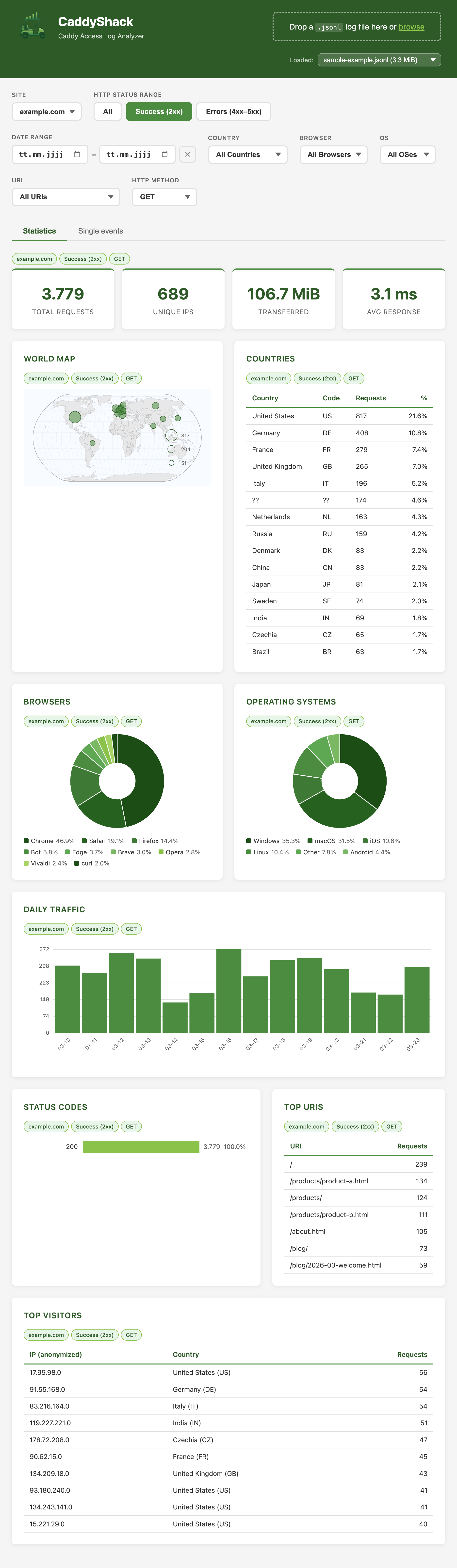
CaddyShack turns your Caddy server's JSONL access logs into a rich, interactive analytics dashboard — right in your browser. Deploy it alongside your Caddy server for always-on insights, or run it locally on your own computer and drag log files onto it whenever you need to investigate. No database, no configuration, no tracking. Your logs stay on your machine.
Everything you need
Simple upload, powerful insights.
Drag & Drop
Drop your Caddy JSONL access log and get instant insights. No configuration, no accounts, no setup required.
Powerful Filters
Filter the entire dashboard by HTTP method, status code, URI, and more — all dimensions applied in a single pass with AND logic.
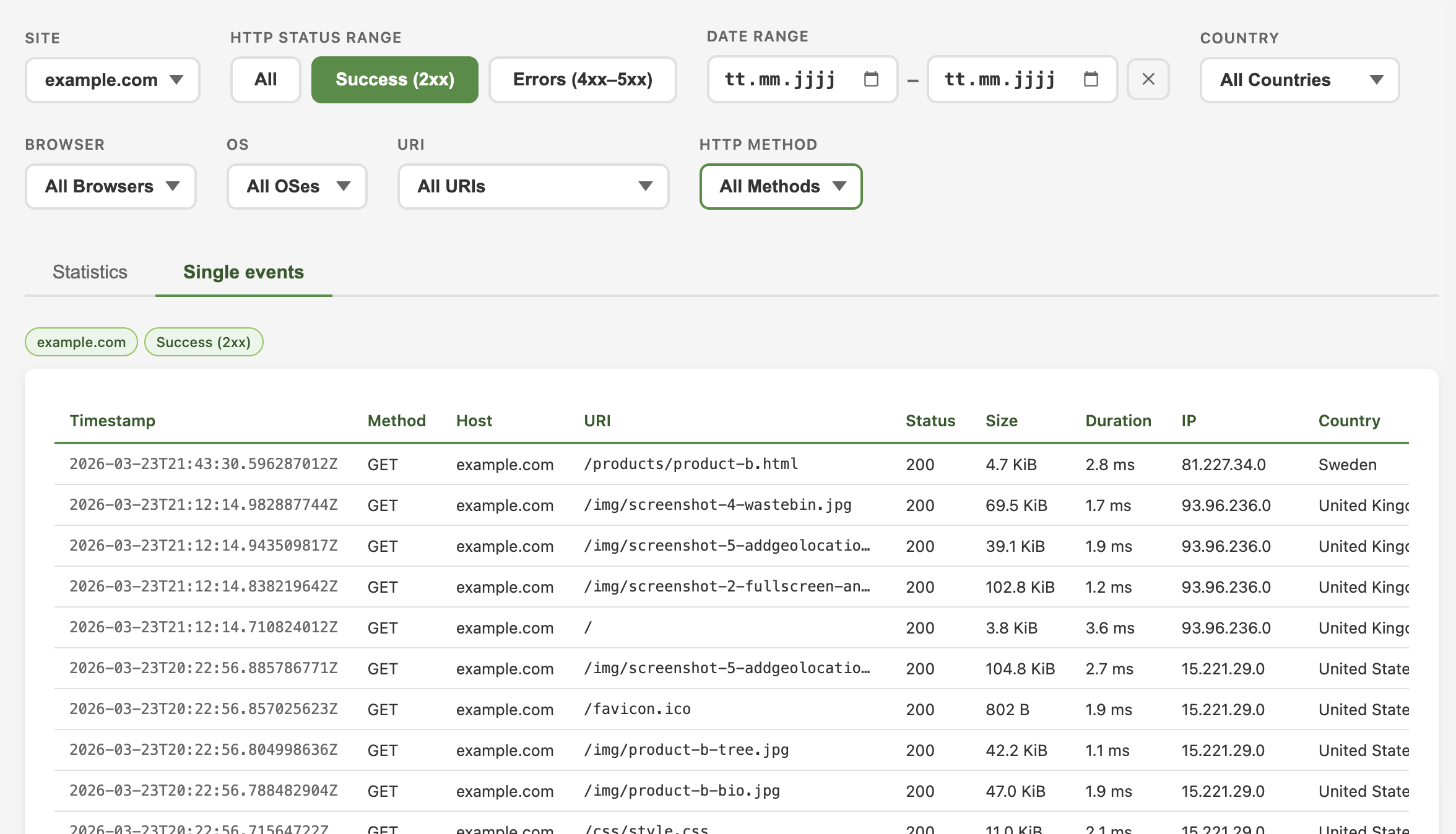
Single Events
Browse individual log entries in a dedicated tab with lazy loading. Drill down into the raw data behind any chart.
Traffic Trends
Daily request volumes visualized over time. Spot patterns, traffic spikes, and anomalies at a glance.
World Map
Interactive geographic distribution of your visitors. See where your traffic comes from, country by country.
Browser & OS
Know your audience. Browser and operating system breakdowns as interactive D3.js donut charts for informed decisions.
Status Codes
HTTP status breakdown in one view. Find errors, redirects, and success rates without digging through raw logs.
Privacy First
IP addresses are anonymized. GDPR-friendly by design. Your log data never leaves your machine.
Server or Local
Deploy alongside your Caddy server for always-on access, or run it locally on your laptop and drag log files onto it whenever you need to dig in. Both work equally well.
See it in action
From raw logs to visual insights in seconds.
Get started in seconds
Deploy on your server, or run it locally and drag in a log file.
./caddyshack
Available for Linux, macOS (Intel & Apple Silicon), and Windows.
Or run it as a container:
docker run -p 8080:8080 ghcr.io/bjblazko/caddyshack:latest
Or with Docker Compose / Podman Compose:
docker compose up -d
Images for linux/amd64 and linux/arm64 published to GHCR.
Use at your own risk. Always back up your files before use.