 Hüpattl! Software
CaddyShack
Traffic reports from your Caddy access logs.
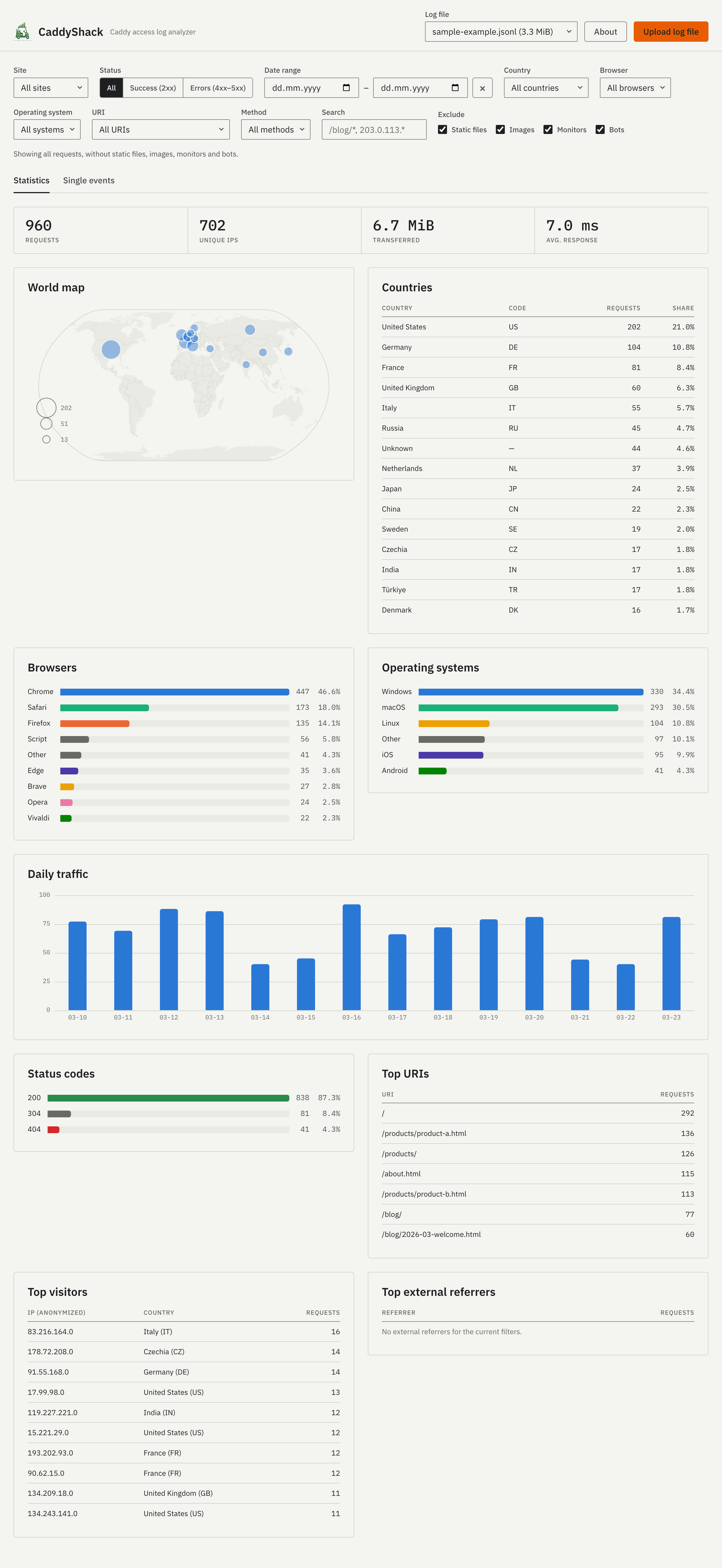
CaddyShack reads the JSONL access logs of a Caddy server and shows them as a dashboard in your browser. Run it next to Caddy on your server, or locally on your computer and drop a log file onto it. It needs no database and no configuration, makes no requests to anyone else, and tracks no one. Your logs stay on the machine it runs on.
Features
What the dashboard shows and how to narrow it down.
Upload or drop
Choose a Caddy JSONL access log with “Upload log file” or drop it anywhere on the page. Next to Caddy, the server’s own logs appear by themselves.
Filters
Narrow everything by site, date, status, country, browser, system, URI, method, or a search over URI, IP and referrer. One sentence says what you are looking at.
Visitors, not noise
Uptime monitors, bots, static files and images are hidden by default; one click shows them again. Scripts and scanners stay visible, so you see the attempts.
Single events
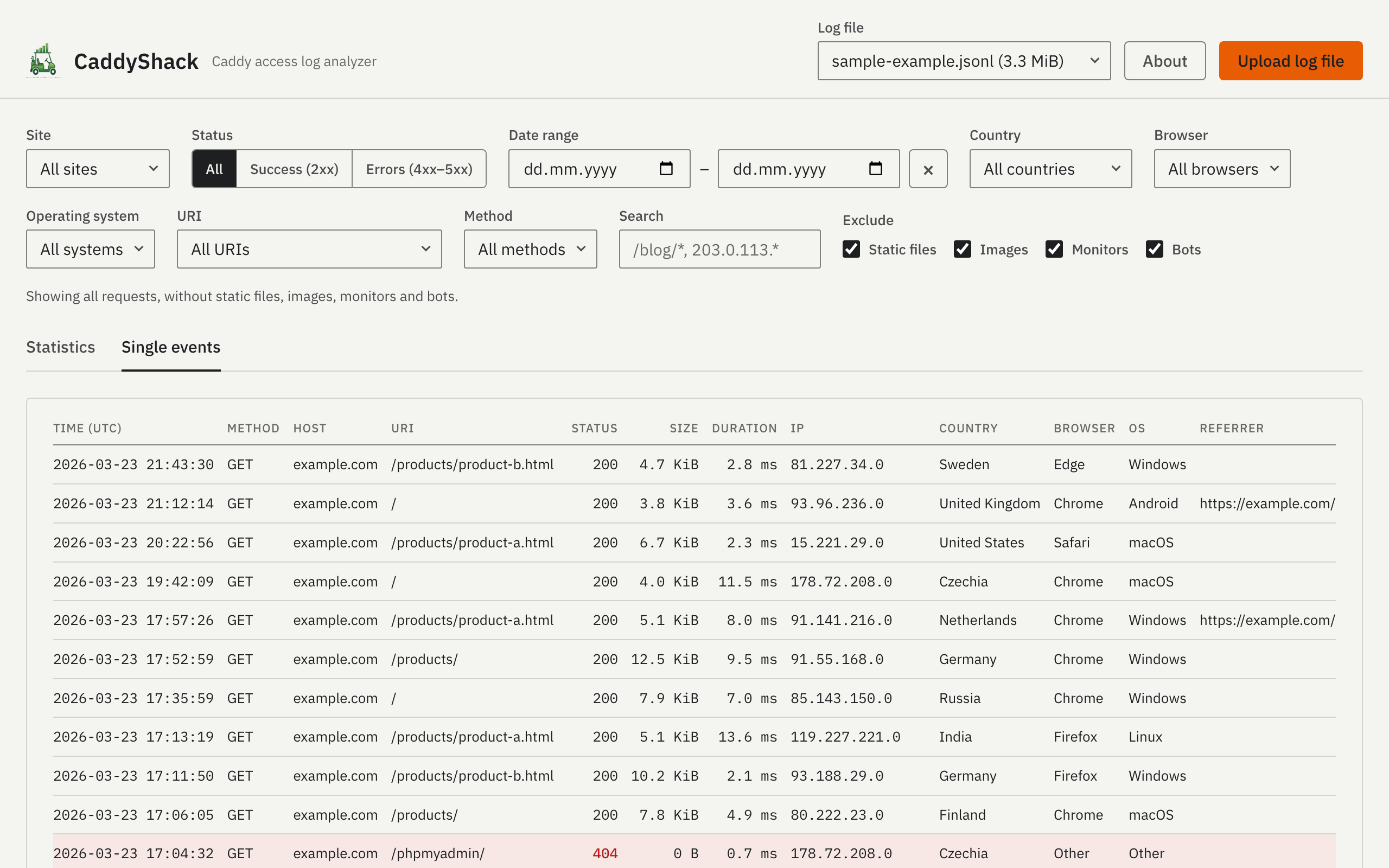
A second view lists the individual requests behind the charts, loaded as you scroll.
Traffic over time
Requests per day, so patterns and spikes show up.
World map
Requests per country, with the optional free DB-IP Lite database.
Browsers and systems
Ranked bars in which every browser and system keeps its own color; bots and scripts stay grey.
External referrers
Where visitors come from — without the clicks between your own sites.
Status codes
Successful requests, redirects and errors at a glance.
Privacy
IP addresses are shortened before they reach the browser. Uploaded logs are deleted after an hour without use.
Screenshots
The dashboard and the list of single events.
Install
Run the binary on your server or locally, then open it in the browser:
./caddyshack
Available for Linux, macOS 13 and later (Intel and Apple Silicon) and Windows.
Or run it as a container:
docker run -p 8080:8080 ghcr.io/bjblazko/caddyshack:latest
Or with Docker Compose / Podman Compose:
docker compose up -d
Images for linux/amd64 and linux/arm64 are published on GHCR. Options such as -logdir, -geodb and -upload-ttl are described in the README.
Provided without warranty, as far as the law allows. The projects CaddyShack is built on are listed in the app under About → Licenses and thanks.