 Hüpattl! Software
Unterlumen 0.25 — Memories, Metadata and Statistics in a Second
Three days, six versions of Unterlumen. Most of my photos have no stars, no title and no keyword. That is fine for finding them by camera, place or face; it is not fine for coming across them again. So this round has three parts: a place that brings old photos back, a way to write down what a photo is, and statistics that keep up with fifty thousand photos.
Memories
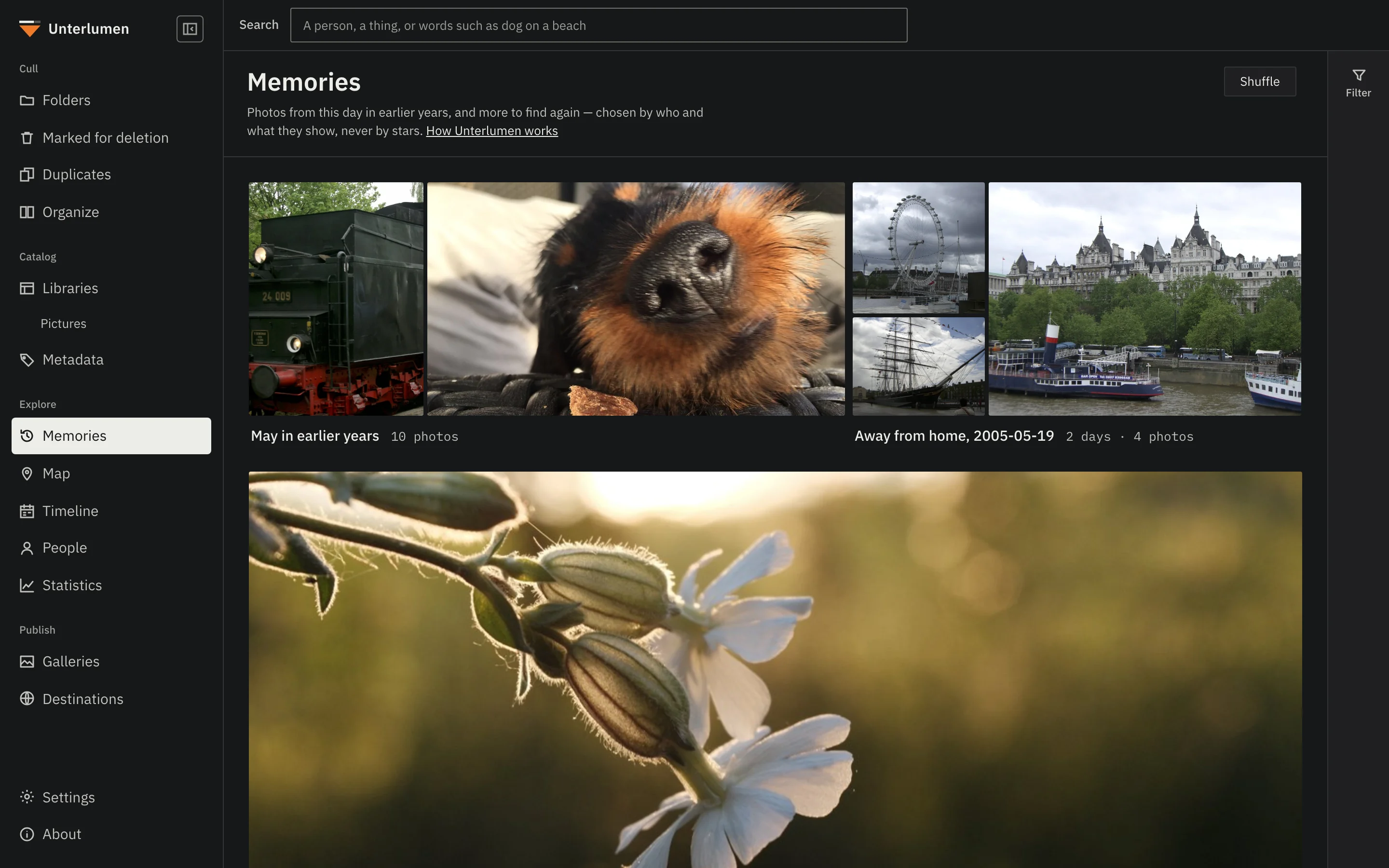
A new place under Explore shows what happened on this day in earlier years. Beside it stand a trip that began around today in an earlier year, someone whose birthday is in the next week — or who is in photos from many years — this month back then, and a few rediscovered photos from the rarest of the library.
None of it looks at stars. Screenshots, documents and photos that came out blurred, too dark or too bright are left out. A burst counts as one moment and gives one photo, and so does anything that looks like a photo already chosen. Photos with people you have named come first, then what is rare in your own library: a thing seen once, an unusual colour, a low or a high key, a place far from home. The choice stays the same through the day and changes the next.
All of it stands on one sheet. Each memory is a collage without gaps, its photos as posters, panoramas, squares or in their own shape — chance decides, among the formats a photo can carry. The memories stand side by side in bands, in a new order on every visit, and Shuffle lays the sheet out again. A caption opens the memory with all its photos. Nothing is stored for any of it: no record of what you looked at, no list to keep.
Metadata and stars
A place called Metadata changes what photos and videos say about themselves: the date taken, title, description, keywords, creator, copyright and rating. Write to stands at the top of every change: beside the file, in its XMP sidecar (a video’s NFO), which leaves the file as it is — or into the file itself.
- Dates of many photos at once. Set the day and keep each photo’s time of day, or shift them all by hours and minutes — for the camera whose clock was still on summer time.
- Stars. The keys 1 to 5 give the selected photos that many stars, 0 takes them away. The number keys no longer open places.
- IPTC fields — where it was taken, the event, credit and rights, the people shown — under the names Lightroom and digiKam read, and fields of your own for anything else.
- The country from the GPS position, offline, from the country borders built into the app. Nothing is sent anywhere.
The info panel shows where each value lies: a small XMP mark means it is beside the file. The library filter and the search find photos by country, city and event.
Statistics, more of them, in a second
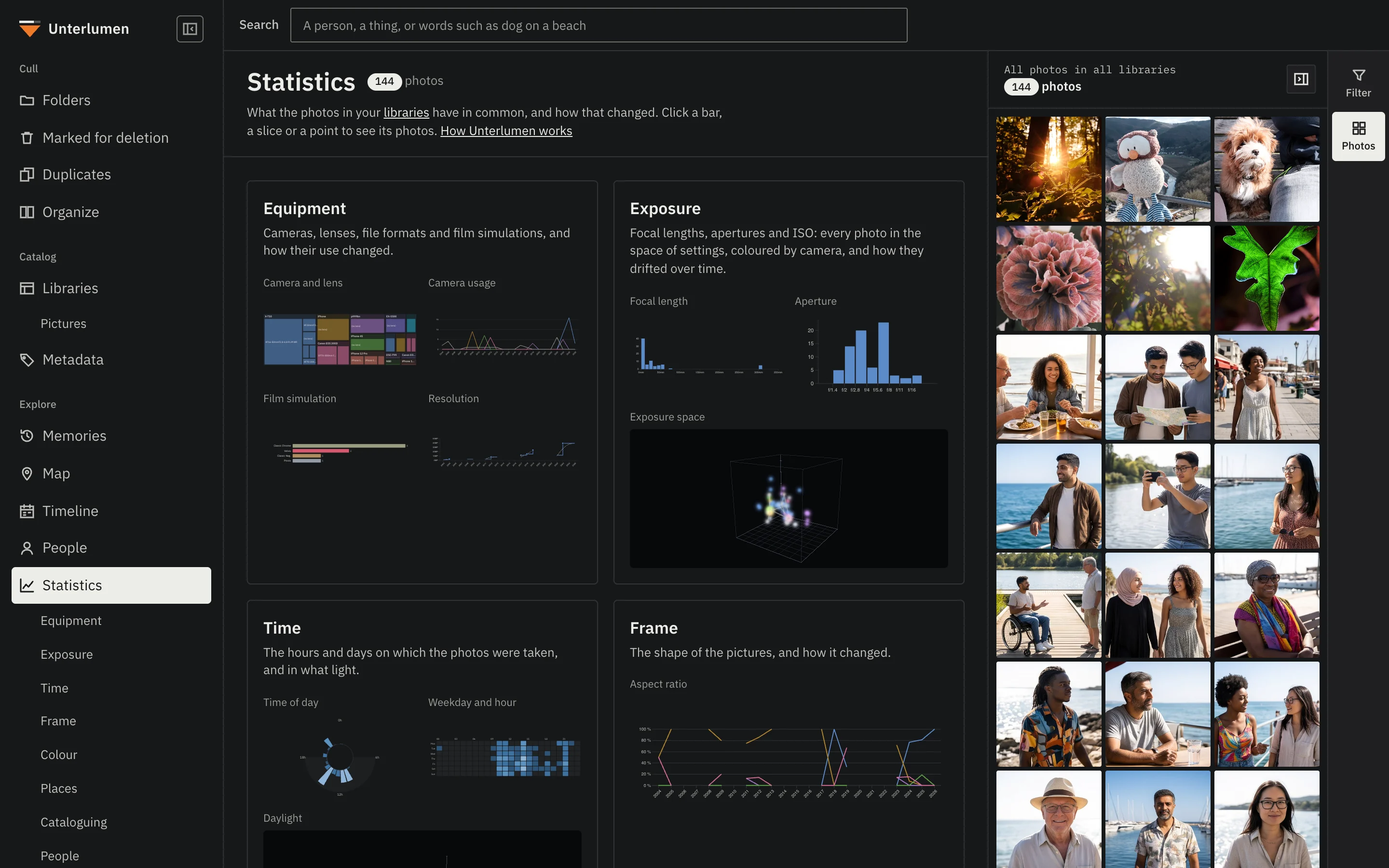
Statistics have about thirty more views, arranged by theme: weekday and hour, countries and cities, how each zoom is used, the risk of shake per lens, sessions, and three more 3D views. A new topic, Cataloguing, shows which photos still lack a title, keywords, a place, named people or stars — a click shows exactly those, ready for Metadata.
On my six libraries of 49 500 photos the overview took nine seconds to open. Now it takes one, and every topic less than half a second. They read beside the scans instead of waiting for them, from indexes rather than every photo’s row, and are worked out in the background after a start and after every scan.
Smaller things
- Folders can be renamed and marked for deletion; a folder a delete leaves empty is offered for removal.
- Match with the folder drops photos deleted in Finder or a shell, wherever you start it.
- Keywords beside a photo or in its XMP reach the library index.
- On a phone the tab bar has six places, Memories among them.
- The pictures on the product page are dark now, and its film is longer: 40 seconds, Memories first.
Try it
The product page has pictures of all of it and the ways to install it. Updating keeps your libraries. If something does not work as you expect, tell me on GitHub.