 Hüpattl! Software
Unterlumen 0.20 — People, Things, and My Photos for Real
The last four weeks were the biggest stretch of work on Unterlumen so far: versions 0.15 to 0.20.3, with a lot of fixes along the way. Two things stand out — Unterlumen now knows who is in my photos and what is in them. And something changed for me personally: on my NAS, Unterlumen has replaced every other photo tool. It is now the tool I actually use for my photos, every day, not an experiment beside them.
People
Unterlumen finds the faces in your photos and groups the ones that look alike. You name a group once, and that person is known in every library. Groups that look like someone you have named wait with a question — “Is this Anna?” — and the answers teach it: a No is kept, and the next suggestion is better. A face it missed, in profile or half hidden, you frame by hand in the viewer.
A person’s page shows all their faces, newest first, their age if you give a birthday, and who is most often with them. People are in the shared filter of the map, the timeline and the statistics, and on the phone too. Hidden faces, No’s and chosen covers follow to the other installation, so the NAS and the Mac agree.
Things
This is the part that still surprises me. Unterlumen finds animals, objects and scenes — a boat, a bicycle, a dog, the sea — with Google’s SigLIP 2. It also finds which photos are blurred, too dark or too bright. The things go into each photo’s sidecar as keywords, so Lightroom and Apple Photos see them too.
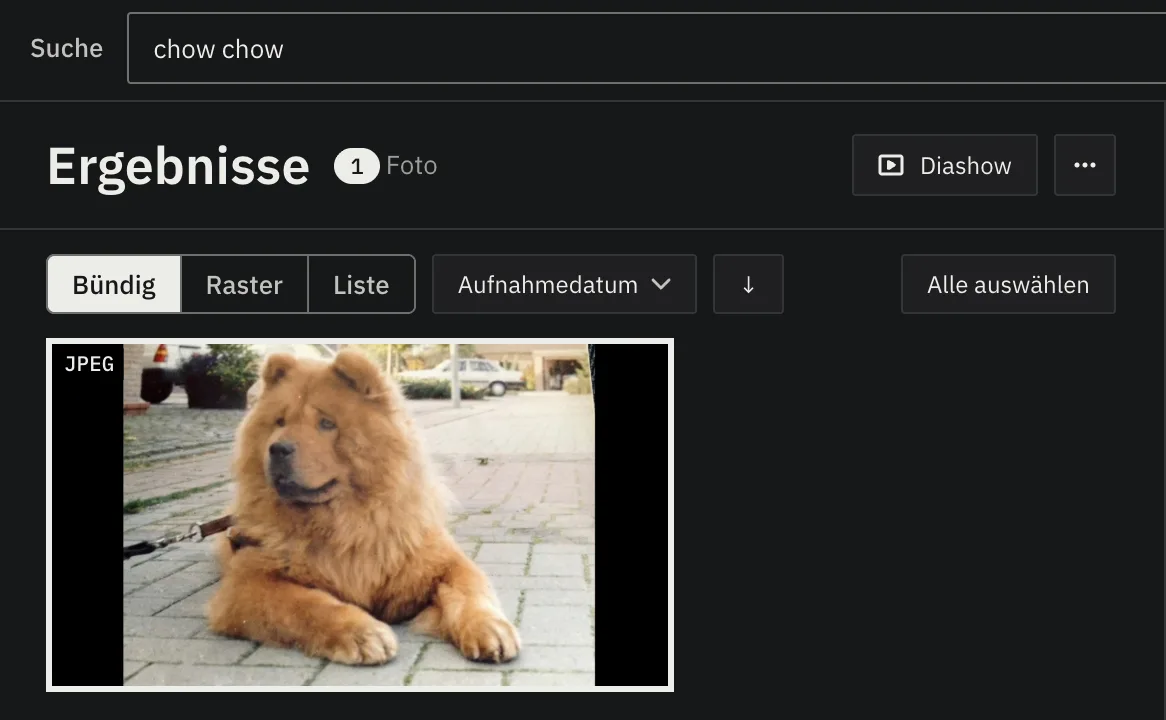
One search above every place finds a person, a thing, or words. Words go further than the list of things: I searched for a chow chow and for a Labrador, and it found exactly those dogs in my photos. It understands many languages, so “Hund am Strand” works as well as “dog on a beach”. The statistics count the things: which come most often, how that changed over the years and which come together.
On your computer
Faces and things are recognised on your own computer. The models are downloaded once, when you turn the feature on, and nothing about your photos leaves the machine. When the Mac has looked at a photo, the NAS takes over what it found from the sidecar, so a small NAS does not have to run the models itself.
German, a globe and more
- German. The whole interface is in English or German, following your browser; things have German names, and each library chooses the language of its keywords.
- The map shows the world as a globe, flat, or tilted in 3D with the buildings standing.
- Statistics grew to eight topics, among them colour, people and things, with 3D views of colour, exposure and where and when you shoot.
- Libraries are independent folders anywhere, each shared with the other installation or not.
- Safety. A security review closed the ways another web page could act through an open Unterlumen, and the dependencies are current.
- Many fixes, from renaming on a network share — now seconds instead of minutes — to Organize, which now counts while it moves.
Try it
The product page has pictures of all of it, a 32-second film and the ways to install it. Updating keeps your libraries. If something does not work as you expect, tell me on GitHub.